
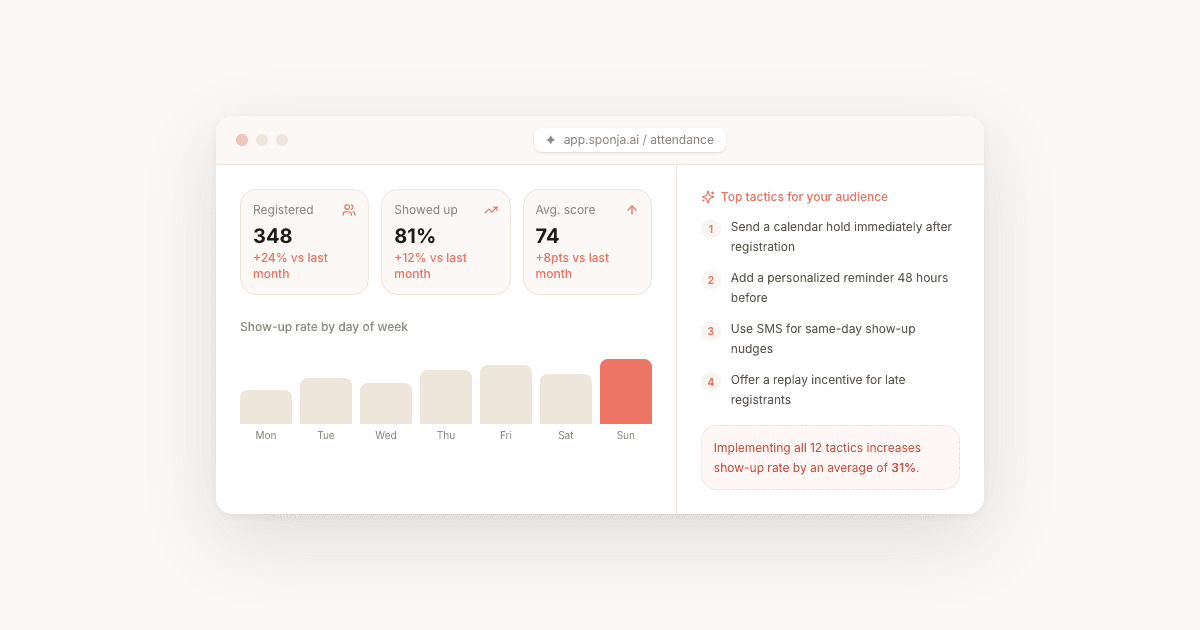
The average B2B webinar loses more than half its registrants before the session starts, and most hosts trying to increase webinar attendance focus on the wrong lever (the topic, the speaker, the page copy). The real lever is the promotion cadence and the friction between registration and the live link. This guide covers 12 tactics to increase webinar attendance, reduce no-shows, and build a webinar habit that compounds over time.
Key Takeaways
- The average B2B webinar attendance rate sits at 35-40% for mature programs; 20-30% is realistic for newer or smaller ones
- The biggest drivers of no-shows are forgetting (people register weeks in advance when motivation is high) and friction on the day (no calendar block, missing link)
- A one-click calendar invite at registration is the single highest-leverage friction-reducer, lifting live attendance by 10-15 percentage points
- The minimum effective reminder sequence is three emails: T-7 days, T-1 day, and T-1 hour, with the T-1 hour reminder driving the biggest live-attendance lift
- Promote 10-14 days before the event; promoting more than three weeks out correlates with significantly higher no-show rates
- Frame the replay as part of the offer at registration to convert intent from people who cannot attend live into a second engagement window
Why Webinar Attendance Rates Are Lower Than You Think
Most webinar platforms report attendance as a percentage of registrants who joined live. According to B2B webinar benchmarks from ON24, the average attendance rate sits at 35-40%, but that figure includes well-resourced teams with mature programs. For many smaller or newer programs, 20-30% is the real baseline. Attendance rate measures reminder cadence, not buying intent; for the post-event metrics that actually predict pipeline, see webinar analytics that predict pipeline.
Two things drive the gap between registration and attendance:
- Forgetting. People register weeks in advance when motivation is high, then the event slips their mind.
- Friction on the day. A competing meeting, a fire drill, or a missing calendar link is enough to lose someone.
Understanding this is important because it reframes the goal. You are not just trying to get more registrations. You are trying to close the gap between people who intended to show up and people who actually did. That is a systems problem, and it has a systems solution.
How to Increase Webinar Attendance Before the Event
Pre-event promotion is the highest-leverage place to invest. Most of the no-show problem is preventable if you set the right expectations at registration.
1. Promote 10-14 days out, not further. Registrations booked more than three weeks in advance have significantly higher no-show rates. The closer to the event, the more the intent is fresh. Target your biggest promotional push for the 10-day window before the session.
2. Use LinkedIn for organic reach in B2B. For B2B audiences, LinkedIn Events and targeted sponsored content outperform most other channels. Post a short teaser with the speaker, the key question the webinar answers, and the registration link. Reshare it three days before the event.
3. Leverage your speaker's network. If your webinar has a guest speaker or panel, ask them to share the registration link with their audience. A warm endorsement from a trusted voice converts far better than a cold ad impression.
4. Add a referral nudge at the thank-you page. After someone registers, the thank-you page is prime real estate. Add a one-click share prompt: "Know someone who'd find this useful?" Even a 5% share rate meaningfully expands your reach at zero cost.
5. Send a calendar invite at registration. The single most effective friction-reducer is a calendar block. Make sure your confirmation email includes a one-click calendar invite for Google, Outlook, and Apple Calendar. This alone can lift live attendance by 10-15 percentage points.
Registration Page Tactics That Convert More Sign-Ups
You cannot increase webinar attendance without first filling the funnel. A weak registration page kills volume before your reminder sequence even has a chance to work.
6. Lead with the outcome, not the agenda. Most registration pages describe what will be covered. High-converting pages describe what the attendee will be able to do after the session. "How to increase webinar attendance" is a topic. "Leave with a 3-email reminder sequence you can send this week" is an outcome. Write for the outcome.
7. Keep the form short. For most B2B webinars, name and email is enough. Every additional field you add reduces conversion. If you need company or role for segmentation, ask in the confirmation email instead, where intent is already established.
8. Show social proof near the CTA. A short testimonial from a past attendee, a registration count ("237 marketers registered"), or speaker credentials placed just above the submit button reduces hesitation at the last step.
How to Reduce Webinar No-Shows With Smart Reminder Sequences
Reminder emails are the clearest lever for how to increase webinar attendance, and most teams underuse them. A good sequence does three things: it rebuilds excitement, it removes friction, and it creates urgency without being pushy.
9. Send three reminder emails as a baseline. The minimum effective sequence is:
- T-7 days: A "save the date" style reminder. Restate the outcome, add a teaser point or speaker quote, and include the join link.
- T-1 day: A "tomorrow" email. Short, punchy, restate the time and time zone explicitly. Include the join link prominently.
- T-1 hour: Your most important email. Many people decide in the final hour whether to join or skip. A one-sentence email with a direct join link is enough. Do not bury the link.
10. Personalize reminders by segment. Registrants who opened your last two emails but have not joined a webinar before are worth a slightly warmer nudge than someone who attends every month. If your platform or CRM supports basic segmentation, use it. Even a first-name personalization and a single line of context ("You signed up because you run Zoom webinars...") meaningfully improves open rates.
11. Add a plain-text hour-before SMS if your audience opts in. For high-value segments, a plain-text SMS or push notification one hour before the session meaningfully lifts live attendance because it reaches people who have already moved past their inbox by event time. Keep it short: the session title, the time, and a short link.
During and After: Keeping Attendance High Over Time
Tactics 1-11 address a single event. Tactic 12 builds the habit that makes every future webinar easier to fill.
12. Make the replay part of the offer from day one. Tell registrants at sign-up: "Can't make it live? The replay will be available for 7 days." This does two things. It removes the "I might be busy" objection that stops people from registering, and it creates a second engagement window for no-shows. A no-show who watches the replay is still a warm lead.
After the event, your follow-up sequence is where conversion happens. Attendees who engaged with your content, asked questions, or stayed to the end are your hottest prospects. Treating all attendees the same in follow-up is one of the most common missed opportunities in B2B webinar marketing.
Tools like Sponja analyze attendee behavior from your Zoom webinars and surface which registrants were most engaged, so you can prioritize follow-up and personalize outreach without manually sorting through attendance reports. Pair that with the webinar follow-up email tactics in this guide, grab ready-made copy from our webinar follow-up email templates, and you have a complete system from registration to pipeline. If you run your sessions on WebinarJam or Kit specifically, our WebinarJam follow-up email guide and ConvertKit webinar follow-up email guide cover platform-specific signal. For a column-by-column read of the Zoom export itself, see our Zoom webinar attendee report walkthrough. And if platform choice for small teams is still up in the air, the eight-tool breakdown covers what to pick when. Before the event itself, our webinar planning checklist covers the prep timeline, and how to host a free webinar walks through running it on a free plan.
Attendance problems are fixable. Start with the calendar invite at registration, add the three-email reminder sequence, and move your promotion window to 10-14 days out. Those three changes alone will close most of the gap between your registration count and your live audience.
