
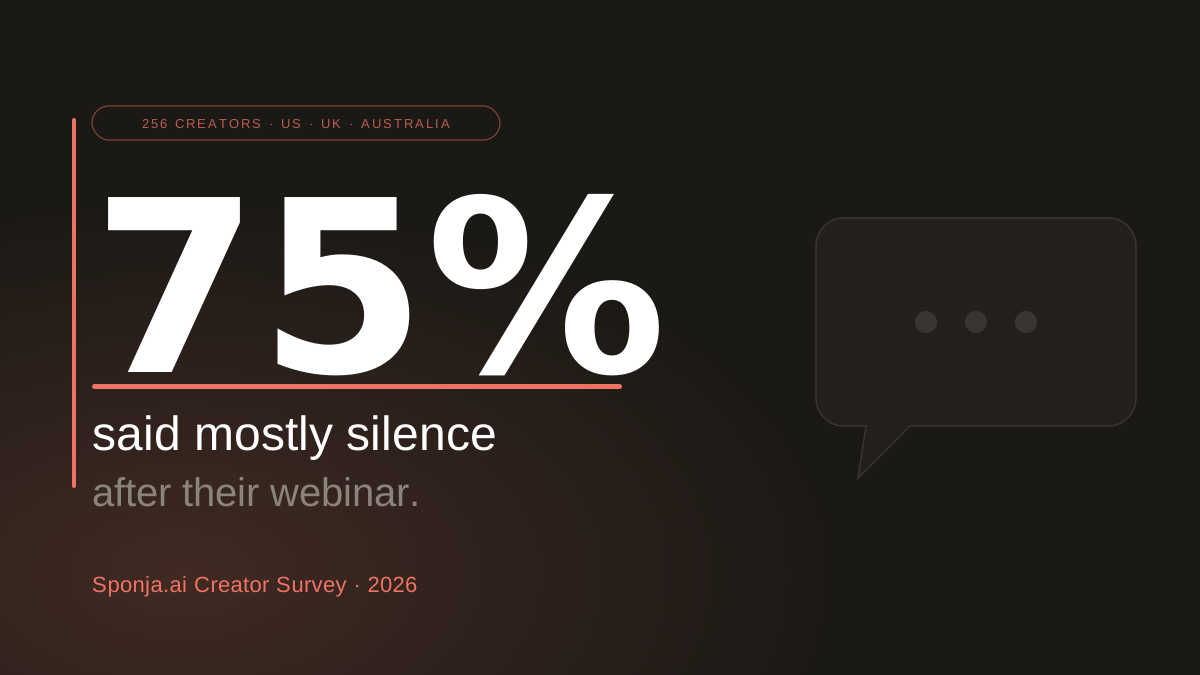
We asked 256 creators what happens after their webinar. 75% said some version of "mostly silence."
Not bad results. Not disappointing results. Silence. The chat was active, someone said "this is exactly what I needed," you sent the follow-up email, and nothing happened.
This is not a content problem. It is a follow-up problem, and it is fixable with a three-email sequence that most creators have never tried.
Why AI webinar follow-up beats generic templates
A generic post-webinar template treats every attendee identically. The most engaged person who asked three questions and clicked your offer link gets the same email as someone who joined for the last ten minutes. AI webinar follow-up changes that by treating the data your session already produces as the starting point, not an afterthought.
In practice it means three things working together. First, per-attendee intent scoring: the engagement signal (time in session, Q&A activity, chat, link clicks) is calculated as a number you can sort by, so the warmest 20 to 30 percent of attendees can be handled differently from the long tail. Second, attendee versus no-show segmentation is enforced before any email goes out, because the two groups need completely different opening lines and offer framing. Third, the 3-email sequence is drafted per segment rather than per list, so the value-add email an engaged attendee receives is not the same as the one a passive viewer receives.
The upstream version of this problem is getting the right people into the session in the first place. That starts with the webinar invitation email that earns the registration, and our guide to proven attendance tactics covers the reminder cadence and registration-friction work that compounds with a strong follow-up. AI webinar follow-up only works when there is enough live behavior to score, which starts with attendance.
Key Takeaways
- 75% of the 238 creators we surveyed described their post-webinar results as silence, less than expected, or something they do not track at all
- Only 5% (12 out of 238) reported that attendees consistently buy after their webinar
- 86 creators (34%) said their single biggest wish was knowing who in the room was actually interested in buying
- The most common mistake is sending one replay email to every attendee, regardless of how engaged they were
- A 3-email sequence (replay, value add, direct offer) outperforms a single broadcast on every metric
- The window is short: engagement drops steeply after the first 24 hours
What Is a Webinar Funnel?
A webinar funnel is the complete sequence of steps that moves someone from discovering your event to taking action on your offer. It has five stages: awareness, registration, pre-webinar nurture, the live session, and post-webinar follow-up.
Most creators invest heavily in filling the top of that funnel and almost nothing in the follow-up stage, which is where the majority of conversions actually happen.
| Stage | What it covers | Where most creators drop the ball |
|---|---|---|
| Awareness | Ads, email, social posts | Overspend relative to follow-up investment |
| Registration | Sign-up and confirmation emails | Generic copy with no value preview |
| Pre-event nurture | Reminders to drive attendance | Skipped entirely |
| Live session | The webinar itself | No behavioral tracking during the event |
| Follow-up | Post-webinar emails | One email to everyone, no segmentation |
According to ON24's 2024 Global Engagement Benchmarks, webinars consistently outperform other digital channels for generating high-intent leads, but only when there is a structured follow-up in place. The data from our survey confirms the same gap: the problem is almost never the live session. It is everything that happens after.
The Real Average Webinar Conversion Rate
The real average webinar conversion rate sits between 2 and 5 percent for most creators and formats. Our survey of 238 creators confirmed the floor: only 5 percent, exactly 12 people, said attendees consistently buy their offer after a webinar.
That number is not discouraging if you understand what it means. It means 95% of attendees who showed enough interest to register and show up are leaving without taking action. Most of them are not leaving because they do not want what you are offering. They are leaving because the follow-up did not reach them at the right moment, with the right message.
Here is how the 238 hosts we surveyed described what actually happens after their webinars:
| Outcome | Respondents | Share |
|---|---|---|
| "I don't really track it" | 54 | 23% |
| Some interest, not many sales | 51 | 21% |
| Some results, less than expected | 42 | 18% |
| Mostly silence | 42 | 18% |
| People consistently buy | 12 | 5% |
| Results across the board | 5 | 2% |
23% of creators do not even know what happens after their webinars. They run the event and move on.
The creators who consistently see sales share one habit: they look at who their warmest attendees were before sending any follow-up. Zoom's attendee reports export attendance duration, engagement time, and Q&A participation automatically after every session. Most hosts never open the file. For a column-by-column walkthrough of that export, see our guide on the Zoom webinar attendee report.
Who's Actually Interested in Buying?
34% of creators, 86 out of 256, said the single thing they wished they had known after their last webinar was who was actually interested in buying. That was the most common answer by a wide margin, ahead of knowing what offer their audience wanted (24%) or what content drove purchase intent (17%).
This gap is the root cause of why follow-up emails fail. When you do not know who was genuinely engaged, you send the same email to everyone. The person who stayed for the full session, asked questions, and clicked your offer link gets the same replay-and-thanks email as someone who joined for the last ten minutes.
The first person was close to buying. The second probably was not. But with no signal to separate them, you treated them identically.
The behavioral signals that indicate buying intent are more accessible than most creators realise:
- Attendance duration: Did they stay for 80% or more of the session?
- Chat participation: Did they ask questions or respond to yours?
- Offer link clicks: Did they click through to your sales or booking page?
- Return visits: Did they come back to your site after the event?
Even a basic split, "engaged" versus "passive" based on attendance duration alone, gives you more to work with than treating 200 attendees as identical. The follow-up email for each group should have a completely different angle, because they are in completely different places. Not all of these signals carry equal weight: our breakdown of the webinar metrics that actually predict pipeline ranks which ones correlate with revenue and which are vanity.
For a deeper look at getting more of the right people into your webinar in the first place, see How to Increase Webinar Attendance.
The 3-Email Webinar Follow-Up Sequence That Converts
The 3-email webinar follow-up sequence works because it matches the natural arc of post-event interest. Engagement peaks immediately after the session and declines steeply over the following days. Three targeted emails, sent at the right intervals, capture that window without exhausting your list.
Email 1: Replay and One Key Insight (Send same day, within 3 hours)
The first email should arrive while the session is still fresh. Its job is not to sell: deliver immediate value and keep the conversation open.
Subject line examples:
- "Your replay is ready (plus the part most people missed)"
- "What I should have said at the end today"
- "Quick follow-up from [session topic]"
What to include:
- Replay link (this is the primary purpose of the email)
- One specific insight or resource not covered in the session
- A low-commitment question: "What resonated most for you?"
What to avoid: A long recap of everything you covered. That is what the replay is for. Keep this email under 150 words.
Copy-paste template:
Subject: Your replay is ready (plus the part most people missed)
Hi [First name],
Thanks for joining [session topic] today. Here is your replay: [replay link].
One thing worth a second look: [one specific insight from the session]. It is the part most people skip.
Quick question while it is fresh: what resonated most for you?
[Your name]
Email 2: The Value Add (Send day 2 or 3)
Email 2 is the most underused email in any webinar sequence. Its job is to add something the session did not cover, such as a deeper resource, a common question answered, or a case example, without asking for anything in return.
This email builds trust and reactivates people who opened the first email but did not act. Research from Campaign Monitor shows follow-up emails sent on day 2 or 3 consistently see better click rates than anything sent after day 5, when interest has significantly cooled.
Subject line examples:
- "The question I kept getting after today's session"
- "One thing I did not have time to cover"
- "Here's what usually happens next"
What to include:
- A specific, useful insight directly tied to the webinar topic
- One link to a related resource or tool (if you covered event performance, for example, our Event ROI Calculator gives attendees something concrete to act on)
- A soft transition toward your offer: "If this is the problem you are working on, [offer] might be the right next step"
Copy-paste template:
Subject: One thing I did not have time to cover
Hi [First name],
After [session topic], a few people asked about [common question]. Here is the short version: [useful insight or resource link].
If [the problem your offer solves] is what you are working on, [offer] might be the right next step. No pressure either way.
[Your name]
Email 3: The Direct Ask (Send day 4 or 5)
Email 3 is the conversion email. It should be direct, short, and focused on one action. If you have a genuine deadline or a reason to act now, such as a limited cohort or a closing bonus, use it here, but only if it is real.
Subject line examples:
- "Are you still thinking about this?"
- "Last chance: [specific offer detail]"
- "Quick question before I close this out"
What to include:
- A one-sentence acknowledgment of what they attended and why it matters
- A clear, specific offer with one call to action
- A genuine reason to act now, if one exists
What to avoid: Re-sending the replay link. By this point, the people who wanted the replay have watched it. Email 3 is for the ones who are close to deciding.
Copy-paste template:
Subject: Quick question before I close this out
Hi [First name],
You came to [session topic] because [reason it mattered]. If you are still weighing it up, [offer] is the most direct way to [outcome].
[One genuine reason to act now, if you have one.]
Want me to set this up, or is the timing not right? Either answer is fine.
[Your name]
HubSpot's email marketing data consistently shows that segmented campaigns outperform non-segmented sends by a significant margin on both open rates and conversions. For webinar hosts, this matters more than almost any other channel because you already have the behavioral data. You just need to use it. And despite the perennial headlines, email marketing is far from dead: it still returns more per dollar than any other channel.
The Best Follow-Up Is a Personal One
The most effective follow-up email you can send after a webinar is one that treats each attendee as an individual. Not a segment, not a list. A specific person, based on what they actually did during the session.
Think about what that looks like in practice. Someone stayed for the full hour, asked two questions, and clicked your offer link. The ideal follow-up to that person is not a replay link and a thank-you. It is a short, direct message that references their engagement and names the next step. If you could send that to every high-intent attendee by hand, you would. The conversion rate would be significantly higher than any broadcast.
The problem is scale. Doing this manually for 50, 100, or 200 attendees after every session is not realistic. So most creators fall back to sending the same email to everyone, which is why 75% of them get silence.
The solution is to replicate that personal approach without doing it by hand:
- Know who was engaged before you write anything. Pull your attendance data, sort by duration and Q&A participation, and identify the 20 to 30 percent of attendees who were genuinely active. These are the people who need the personal treatment.
- Write to one person, then apply broadly. Draft your Email 1 as if it is going to your most engaged attendee. Use their experience as the frame. That specificity will read as personal even when sent to a segment.
- Separate attendees from no-shows entirely. A no-show did not experience what you built. Their email should acknowledge that they missed it and offer the replay. The two sequences should have completely different tones.
- Remove high-intent signals from the sequence immediately. If someone clicks your offer link in Email 1, they do not need Email 2 and 3. They need a direct conversation. Tag them and follow up separately.
Sponja does this step automatically: it connects to your Zoom session, scores each attendee by engagement, and drafts a personalized follow-up for each segment within minutes of your session ending. You review and send. The personal quality is there without the manual work. Try it free.
For ready-made template copy you can adapt to each segment, see our webinar follow-up email templates, or draft one instantly with our free webinar follow-up email generator. If your sessions run on WebinarJam or Kit specifically, our WebinarJam follow-up email guide and ConvertKit webinar follow-up email guide cover platform-specific handoffs. And if you are still deciding which Zoom format to run, our Zoom Meeting vs Zoom Webinar comparison walks through what each format produces. If platform choice itself is still on the table, the right small-business webinar platform covers the eight tools that actually fit a small business budget.
75% of creators running webinars are getting silence, and most of them are working hard. The problem is not effort: they are following up like everyone in the room was the same. A 3-email sequence sent to the right people, with the right message, is not a complex system. It is just following up like someone who actually paid attention.
