
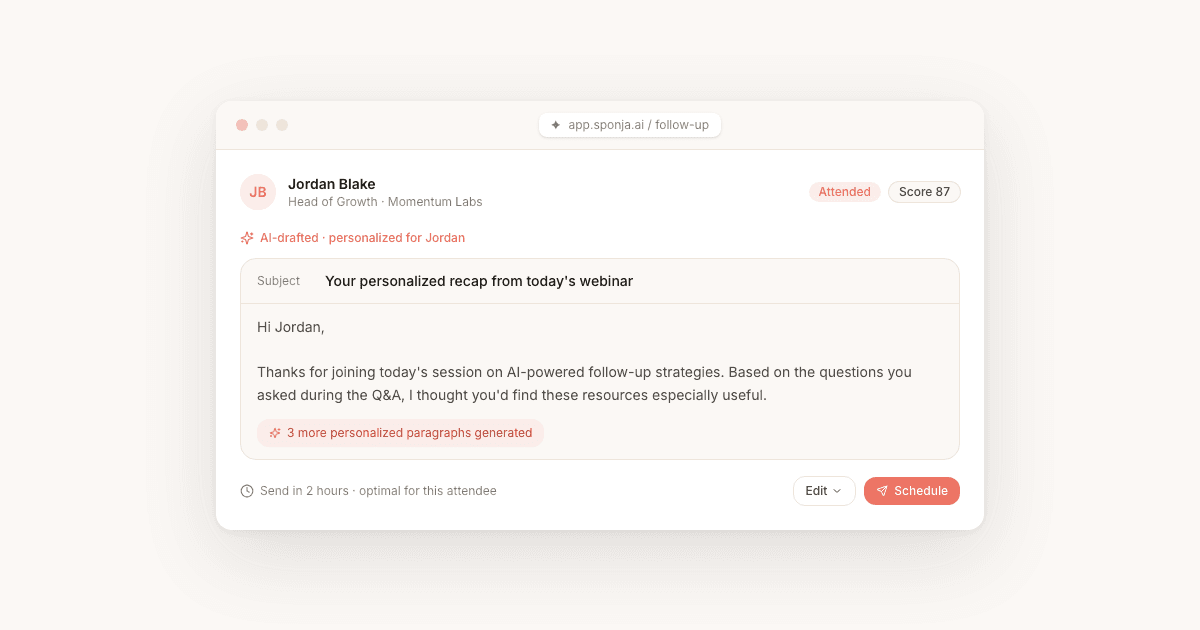
Below are copy-paste webinar follow-up email templates for the audiences that matter most: live attendees, no-shows, high-intent leads, and registrants who never opened the replay. Grab the one you need, swap in your details, and send. For the strategy behind the cadence and the conversion data that backs it up, start with our webinar follow-up email guide. This page is the swipe file.
Key Takeaways
- Send the first email within 2 hours of the session ending. Speed beats polish.
- Use a different template for attendees, no-shows, and high-intent leads. One message to everyone underperforms on every metric.
- Keep one CTA per email. Multiple links dilute action and depress click rates.
- Personalize by referencing what each attendee actually did, not just their first name.
- Sign with a real name and title. B2B buyers respond better to a person than to "The Team."
How to use these templates
Every template below follows the same four-part structure, because that structure is what converts: a subject line that references the session, a replay link near the top, one key takeaway or resource, and a single call to action. Swap the bracketed placeholders for your specifics and the email is ready to send.
Two rules decide whether they work. Send fast, because an email that lands two days after the session reads as an afterthought. And segment before you send, because the person who stayed 45 minutes and the person who never showed up should not get the same message. For why these two levers outweigh everything else, including subject-line tweaks, see the pillar guide. And if you are wondering whether the channel is even worth the effort, the 2026 data on email marketing ROI settles it.
When to send each template
Match the template to the moment:
- Same day, within 2 hours: Template 1 to live attendees, while the session is still fresh.
- Same day or the next morning: Template 4, a thank-you that opens a reply thread, to attendees.
- Same day, within 24 hours: Template 2 to no-shows, who need a reason to watch the replay.
- Day 2 to 4: Template 6 to registrants who have the replay link but have not watched.
- Day 3: Template 3, the value-add, to everyone who has not converted yet.
- Day 7: Template 5, the direct ask, to your high-intent segment.
If you automate only one, automate the first. It is the highest-leverage send and the one most teams miss when the post-webinar scramble hits.
Webinar Follow-Up Email Templates for B2B SaaS
These are starting points. Swap in your webinar title, speaker name, and the specific resource you promised.
Template 1: Live Attendee, Same-Day Follow-Up
Subject: [First Name], here's your replay from [Webinar Title]
Hi [First Name],
Thanks for joining [Webinar Title] today. Here's the replay so you can revisit any section: [Replay Link]
The one resource I mentioned that's worth bookmarking: [Resource Name + Link].
If you want to talk through how [Topic] applies to your team, [CTA: Book 15 minutes here].
[Signature]
Template 2: No-Show, Same-Day Follow-Up
Subject: You missed [Webinar Title]: here's what happened
Hi [First Name],
We covered [Core Topic] in today's session and a lot of people found the [Specific Insight] section particularly useful.
Here's the replay: [Replay Link]. It's [X] minutes and you can jump to [Timestamp] for the most relevant part.
[CTA: Grab the follow-up checklist here] if you want the key takeaways without watching the full thing.
[Signature]
Template 3: Day-3 Value-Add
Subject: The [Resource] I promised from [Webinar Title]
Hi [First Name],
A few days after [Webinar Title] and I wanted to follow up with the [Template/Case Study/Guide] I mentioned.
[Resource description in 1-2 sentences. Why it's useful to this person specifically.]
[CTA: Download it here]. No extra form, the link goes straight to the file.
If this is something you're working on right now, [CTA: let's talk].
[Signature]
Template 4: Thank-You and One Question (Attendee)
Subject: Thanks for joining [Webinar Title], [First Name]
Hi [First Name],
Thank you for spending [Duration] with us on [Webinar Title]. The recording is here if you want to revisit anything: [Replay Link].
One quick question: what is the biggest thing you are trying to solve around [Topic] right now? Hit reply and tell me. I read every response.
[Signature]
Template 5: Day-7 Direct Offer (High-Intent)
Subject: [First Name], the next step on [Topic]
Hi [First Name],
You stayed for the [Specific Segment] part of [Webinar Title], so this is probably relevant: [One-sentence offer tied to that interest].
[CTA: Book 15 minutes] and we will map it to your setup. No pitch, just the plan.
[Signature]
Template 6: Missed-Replay Nudge (Registered, Has Not Watched)
Subject: Still in your inbox: the [Webinar Title] replay
Hi [First Name],
You signed up for [Webinar Title] but the replay is still unwatched. The part most people flag as worth the time starts at [Timestamp]: [Replay Link].
If [Topic] is on your plate this quarter, the [Specific Insight] section alone is worth the [X] minutes.
[Signature]
Personalize each template at scale
Personalization beyond a first name requires data. The most actionable data from a webinar comes from attendance behavior: who attended, who asked questions, who clicked on links in the chat, and who dropped off early.
Most webinar platforms export attendee data as a CSV. The challenge is turning it into segmented sends without rewriting every template by hand.
A practical segmentation model for matching templates to attendees:
| Segment | Behavior | Message focus |
|---|---|---|
| Hot | Attended 80%+ of session, asked a question or clicked a link | Direct offer or demo invite |
| Warm | Attended 40-79% of session | Replay plus key resource |
| Cold | Attended less than 40% or no-showed | Replay with context |
If you're doing this manually, start with just two segments: attended vs. did not attend. That single split will improve your reply rates more than any subject line tweak. To turn that table into a precise number per attendee rather than three rough buckets, see our guide to webinar intent scoring, which scores each person 0 to 100 on six in-session signals. To skip the manual drafting entirely, our free webinar follow-up email generator turns a few event details into a ready-to-send email.
These templates plug into the broader three-email cadence, and the conversion benchmarks that tell you where a sequence is breaking down, in our pillar guide to the webinar follow-up email sequence. For a wider look at filling the room in the first place, see our webinar invitation email templates and How to Increase Webinar Attendance. If you are still choosing the platform that produces the attendance reports, our review of affordable webinar tools walks through the eight that fit small businesses in 2026. For platform-specific signal, see our WebinarJam follow-up email guide and ConvertKit webinar follow-up email guide. If you run your sessions on Zoom, our Zoom webinar attendee report walkthrough covers what each column tells you about who to write to first.
